Translate

Monday, May 25, 2026

मुख्यमंत्री कन्या उत्थान योजना (Mukhyamantri Kanya Utthan Yojana)

 Mukhyamantri Kanya Utthan Yojana

 
मुख्यमंत्री कन्या उत्थान योजना #BiharEducationDept

 Introduction :

Mukhyamantri Kanya Utthan Yojana (MKUY) is a welfare scheme started by the Government of Bihar to support girls from birth to graduation. The scheme provides financial assistance in different stages of life to encourage education, health, and empowerment of girls. 

Main Objective:

  • Promote girl child education
  • Reduce child marriage
  • Improve health and nutrition of girls
  • Encourage higher education
  • Support families financially for girls’ upbringing

 Benefits Amount:

 
Stage Benefit Amount
Birth of girl child ₹2,000
After 1 year + Aadhaar registration ₹1,000
After complete vaccination ₹2,000

Sanitary napkin support (Class 7–12):


School Uniforms:

~     ₹300 yearly

  • Class 1 - 2: ₹600/year
  • Class 3 - 5: ₹700/year
  • Class 6 - 8: ₹1,000/year
  • Class 9 - 12: ₹1,500/year

  •  

    Passing Class 12 (Intermediate)

    ₹25,000 for 1st division and ₹15,000 for 2nd division

    ₹10,000

    Graduation completion ₹50,000
    Total Benefit


    Eligibility Criteria:

    For Birth Benefits

    • Family must be permanent resident of Bihar
    • Only girl child eligible
    • Maximum 2 girls per family
    • Birth registration required
    • Aadhaar and bank account needed

    For Education Benefits

    • Girl must study in recognized Bihar institution
    • Must pass Intermediate or Graduation
    • Aadhaar-linked bank account mandatory
    • Graduation incentive generally for unmarried girls
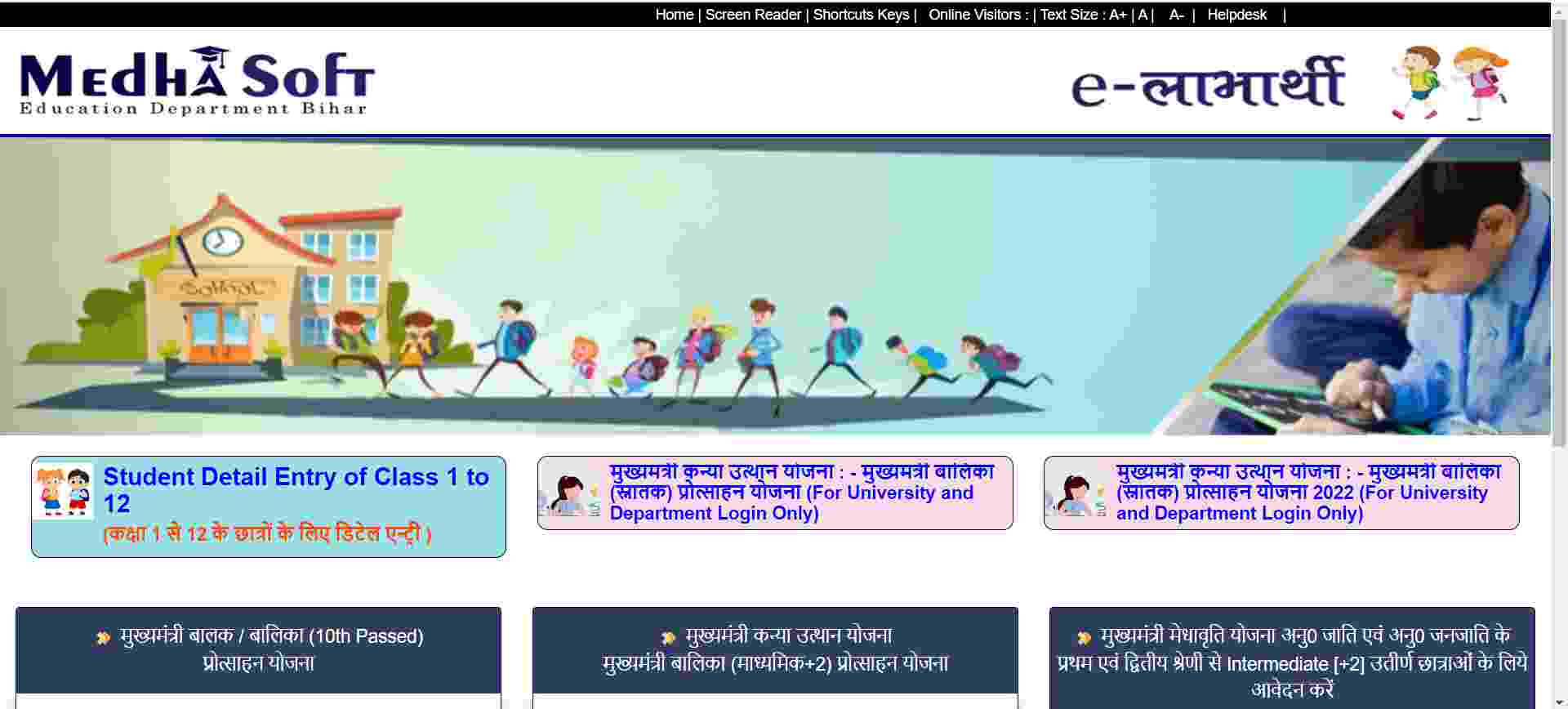
    मुख्यमंत्री कन्या उत्थान योजना 2026 बिहार लिस्ट: लाभ, Online आवेदन पूरी  जानकारी


    Required Documents:

    • Aadhaar card of girl
    • Aadhaar card of parents
    • Residence certificate
    • Birth certificate
    • Bank passbook
    • Mobile number
    • Passport-size photo
    • 10th / 12th / Graduation marksheet (for scholarship stage)
    • College registration details

    How to Apply:

    For Child (0–2 years) Benefits

    Application can be submitted:

    • Online
    • Through Anganwadi center
    • Through Bihar Service Plus portal

    For Intermediate / Graduation Scholarship

    Apply through:

    • Medhasoft Portal
    • e-Kalyan Portal

    Official portal:
    Medhasoft Bihar Portal

    Bihar Service Portal:
    Bihar Service Online Portal

    Application Process (Simple Steps):

    1. Visit official portal
    2. Select Mukhyamantri Kanya Utthan Yojana
    3. Enter registration details
    4. Fill application form
    5. Upload documents
    6. Submit application
    7. Save acknowledgment number

    Important Points

    • Money is transferred directly through DBT to bank account
    • Aadhaar linking is compulsory
    • Only Bihar residents can apply
    • Maximum 2 daughters per family eligible
    • Application dates are announced yearly

    Official Departments

    The scheme is managed by:

    • Social Welfare Department, Bihar
    • Education Department, Bihar
     

    Mukhyamantri Kanya Utthan Yojana — Online Apply Step-by-Step

    Step 1: Open Official Website

    For Inter / Graduation scholarship:

    For child benefit services:

    For Intermediate (12th Pass) Girls

    Step 2: Open Student Registration

    • Visit the portal
    • Click “Mukhyamantri Kanya Utthan Yojana”
    • Select Intermediate Incentive Scheme

    Step 3: Check Your Name

    • Enter:
      • Registration Number
      • Student Name
      • Date of Birth
    • Verify your details in the list

    Step 4: Register

    • Enter:
      • Aadhaar Number
      • Mobile Number
      • Email ID (optional)
      • Bank Account Details

    Important:

    • Bank account must be in student's name
    • Aadhaar should be linked with bank account

    Step 5: Upload Documents

    Upload scanned copies of:

    • Aadhaar card
    • 12th marksheet
    • Bank passbook
    • Passport-size photo

    Usually JPG/PDF format is accepted.

    Step 6: Final Submit

    • Check all details carefully
    • Click Submit
    • Save or print acknowledgment receipt

    For Graduation Scholarship

    Step 1

    Open:

    Step 2

    Click:

    • Student Registration

    Step 3

    Fill:

    • University Name
    • Registration Number
    • Graduation Passing Year
    • Aadhaar Number
    • Mobile Number
    • Bank Details

    Step 4

    Upload:

    • Graduation Marksheet
    • Aadhaar
    • Bank Passbook
    • Photograph

    Step 5

    Submit form and note:

    • Application ID
    • Acknowledgment number

    How to Check Application Status

    1. Open portal
    2. Click Application Status
    3. Enter:
      • Registration Number / Aadhaar
    4. Click Search

    Important Tips

    • Aadhaar and bank account must match
    • Avoid spelling mistakes
    • Use active mobile number
    • Keep scanned documents clear
    • Apply before last date

    Common Reasons for Rejection

    • Aadhaar not linked with bank
    • Wrong IFSC code
    • Name mismatch
    • Duplicate application
    • Invalid marksheet upload
     

    Helpline

    You can contact through:

    • Official portal helpdesk
    • District welfare office
    • College/university nodal officer

    Official website:

     Other Govt. Schemes

    Thanks for Visiting. 🙏 

    Visit Again SUBEDUMENT.

    New Watermark


    Saturday, May 23, 2026

    ICT and Governance


    ICT and Governance

    ICT and Governance refers to the use of Information and Communication Technology (ICT) in government systems to improve efficiency, transparency, accountability, and citizen services. It is an important topic for UGC NET Paper 1 (ICT in Education and Governance).


    1. Meaning of ICT in Governance

    ICT in governance means the use of digital tools such as computers, internet, databases, and communication technologies to deliver government services and manage public administration effectively.


    2. Objectives of ICT in Governance

    • Improve transparency in government functioning
    • Enhance efficiency and speed of services
    • Reduce corruption and paperwork
    • Provide easy access to government services
    • Strengthen citizen participation

    3. Types of E-Governance

    (a) G2C (Government to Citizen)

    Services provided by government directly to citizens.

    • Online certificates
    • Utility bill payments
    • Aadhaar services

    (b) G2B (Government to Business)

    Interaction between government and business organizations.

    • Tax filing systems
    • Business registration
    • Licensing systems

    (c) G2G (Government to Government)

    Digital communication between government departments.

    • Data sharing
    • Inter-department communication
    • Integrated databases

    (d) G2E (Government to Employee)

    Services and communication between government and employees.

    • Payroll systems
    • Employee records
    • Online training

    4. Major E-Governance Initiatives in India

    Digital India

    A flagship programme to transform India into a digitally empowered society and knowledge economy.

    e-Governance Services (e-District)

    Provides citizen services at district level such as certificates and welfare schemes.

    UMANG App

    Unified platform providing multiple government services through a single mobile application.

    e-Office

    Digital file management system used in government offices to reduce paper work.

    MyGov

    Citizen engagement platform for participatory governance.

    e-Payment Systems

    Digital payment platforms for government transactions.


    5. Benefits of ICT in Governance

    • Transparency in administration
    • Faster delivery of services
    • Reduced corruption
    • Cost-effective governance
    • Improved citizen satisfaction
    • Easy access to services from anywhere

    6. Challenges of ICT in Governance

    • Digital divide between rural and urban areas
    • Lack of digital literacy
    • Cybersecurity threats
    • High infrastructure cost
    • Resistance to change in administration

    7. Conclusion

    ICT plays a vital role in modern governance by making government systems more transparent, efficient, and citizen-friendly. It supports the concept of e-Governance and Digital India for better service delivery.

    Digital Initiatives in Higher Education

    Digital Initiatives in Higher Education (India)

    Digital initiatives in higher education refer to the use of ICT (Information and Communication Technology) by the Government of India and educational institutions to improve access, equity, quality, and efficiency in teaching-learning and administration.

    These initiatives are especially important for UGC NET Paper 1 under the ICT in Education unit.


    1. Major Government Digital Initiatives

    (a) SWAYAM

    SWAYAM (Study Webs of Active Learning for Young Aspiring Minds) is a national online learning platform that offers MOOCs from school to postgraduate level.

    Features:

    • Free online courses
    • Video lectures by top teachers
    • Discussion forums
    • Certification exams

    Importance: Promotes “anytime, anywhere learning” in higher education.


    (b) SWAYAM PRABHA

    SWAYAM PRABHA is a group of 24×7 educational TV channels using DTH (Direct-to-Home) technology.

    Features:

    • Daily updated educational content
    • Subject-wise channels
    • Accessible without internet

    (c) e-PG Pathshala

    Developed by UGC, it provides high-quality e-content for postgraduate students.

    Features:

    • Subject modules
    • Expert-authored content
    • Free access

    (d) National Digital Library of India

    A digital repository of learning resources developed under IIT Kharagpur.

    Features:

    • Millions of books and articles
    • Multilingual content
    • Free access for students and researchers

    (e) DIKSHA

    DIKSHA is a national platform for school education and teacher training.

    Features:

    • QR-coded textbooks
    • Teacher training modules
    • Interactive learning content

    (f) National Academic Depository

    A digital storehouse of academic awards and certificates.

    Features:

    • Secure digital certificates
    • Reduces fraud
    • Easy verification

    (g) Academic Bank of Credits

    ABC allows students to store and transfer academic credits digitally.

    Features:

    • Multiple entry and exit options
    • Flexible learning paths
    • Supports NEP 2020

    2. Other Important Digital Initiatives

    (a) National Knowledge Network (NKN)

    A high-speed network connecting universities, research institutions, and libraries.

    • Research collaboration
    • Resource sharing
    • Virtual labs

    (b) Virtual Labs

    Provides remote access to laboratory experiments.

    • No physical lab required
    • Useful for science and engineering students

    (c) National Mission on Education through ICT (NMEICT)

    A flagship initiative to promote ICT in education.

    • Digital content creation
    • Connectivity in colleges
    • Teacher training

    3. Benefits of Digital Initiatives

    • Wider access to education
    • Flexible learning (anytime, anywhere)
    • Cost-effective education
    • Improved quality of content
    • Support for rural and remote learners
    • Self-paced learning opportunities

    4. Challenges

    • Digital divide (urban vs rural gap)
    • Poor internet connectivity in some areas
    • Lack of digital literacy
    • Language barriers
    • Infrastructure limitations

    5. Importance for UGC NET

    • Full forms (SWAYAM, DIKSHA, ABC, NAD)
    • Purpose of each initiative
    • Difference between platforms
    • NEP 2020 link with digital education
    • ICT-based learning tools


    Digital Education: Purpose of Initiatives, NEP 2020 Link & ICT-Based Learning Tools


    1. Purpose of Major Digital Initiatives

    SWAYAM

    Purpose: To provide free online MOOCs for school to higher education learners and ensure “anytime, anywhere learning”.

    SWAYAM PRABHA

    Purpose: To deliver educational content through 24×7 DTH TV channels for learners without internet access.

    e-PG Pathshala

    Purpose: To provide high-quality postgraduate e-content developed by subject experts.

    National Digital Library of India (NDLI)

    Purpose: To provide a single-window access to millions of digital learning resources for students and researchers.

    DIKSHA

    Purpose: To support school education and teacher training through digital content and QR-based textbooks.

    National Academic Depository (NAD)

    Purpose: To store academic certificates digitally and ensure secure verification and fraud prevention.

    Academic Bank of Credits (ABC)

    Purpose: To enable flexible learning by allowing students to store, transfer, and redeem academic credits.

    National Knowledge Network (NKN)

    Purpose: To connect higher education and research institutions for high-speed knowledge sharing and collaboration.

    Virtual Labs

    Purpose: To provide remote access to laboratory experiments for science and engineering education.

    NMEICT

    Purpose: To enhance quality education through ICT, digital content creation, and connectivity in institutions.


    2. NEP 2020 Link with Digital Education

    The National Education Policy (NEP) 2020 strongly promotes the use of digital technologies in education to transform India into a knowledge society.

    • Digital Infrastructure: Strengthens online learning platforms and internet connectivity in all institutions.
    • Blended Learning: Encourages a mix of online and offline learning methods.
    • Equity & Inclusion: Focuses on reducing the digital divide between urban and rural learners.
    • DIKSHA Expansion: Promotes digital content for school education.
    • SWAYAM Integration: Encourages credit transfer from online courses through ABC.
    • Teacher Training: Uses digital platforms for continuous professional development.
    • Multilingual Content: Supports regional language learning materials for wider access.

    Overall Goal: NEP 2020 aims to make education flexible, accessible, and technology-driven.


    3. ICT-Based Learning Tools

    1. Learning Management Systems (LMS)

    • Moodle
    • Google Classroom

    Use: Course management, assignments, quizzes, and tracking learner progress.

    2. Communication Tools

    • Zoom
    • Google Meet
    • Microsoft Teams

    Use: Online classes, webinars, and virtual meetings.

    3. Content Creation Tools

    • PowerPoint
    • Canva
    • OBS Studio

    Use: Creating presentations, videos, and interactive learning content.

    4. Assessment Tools

    • Google Forms
    • Kahoot
    • Quizizz

    Use: Online quizzes, tests, and formative assessments.

    5. E-Resources & Repositories

    • SWAYAM
    • NDLI
    • e-PG Pathshala

    Use: Access to study materials, lectures, and research content.

    6. Virtual Learning Tools

    • Virtual Labs
    • Simulation software

    Use: Practical experiments in online environments.


    Conclusion

    Digital education initiatives, NEP 2020, and ICT tools together aim to transform higher education into a flexible, inclusive, and technology-driven system supporting lifelong learning.

    Basics of Internet, Intranet, E-mail, Audio and Video-conferencing

    Basics of Internet, Intranet, E-mail, Audio and Video Conferencing

    These topics are important parts of the ICT unit in UGC NET Paper 1. They explain how digital communication systems work and how information is shared electronically.


    1. Internet

    Meaning

    The Internet is a worldwide network of interconnected computers that allows users to share information and communicate globally.

    It is also called the “Network of Networks.”

    Features of Internet

    • Global connectivity
    • Information sharing
    • Fast communication
    • Online services
    • Digital learning and entertainment

    Uses of Internet

    • Web browsing
    • E-mail communication
    • Online banking
    • Social networking
    • E-commerce
    • Online education
    • Video conferencing

    Important Internet Terms

    Term Meaning
    WWW World Wide Web
    URL Address of a webpage
    ISP Internet Service Provider
    Browser Software used to access websites
    IP Address Unique address of a device on network

    Examples of Browsers

    • Google Chrome
    • Mozilla Firefox
    • Microsoft Edge
    • Safari

    2. Intranet

    Meaning

    An Intranet is a private network used within an organization using internet technologies. It is accessible only to authorized users.

    Features of Intranet

    • Private and secure
    • Internal communication
    • Information sharing within organization
    • Faster access to company data

    Uses of Intranet

    • Employee communication
    • Sharing documents
    • Internal meetings
    • Organizational announcements

    Difference Between Internet and Intranet

    Internet Intranet
    Public network Private network
    Accessible to everyone Accessible to authorized users
    Worldwide access Limited organizational access
    Less secure More secure

    3. E-mail (Electronic Mail)

    Meaning

    E-mail is the electronic exchange of messages over the internet. It is one of the fastest and most common methods of communication.

    Components of E-mail

    Component Function
    Sender Person sending the email
    Receiver Person receiving the email
    Subject Topic of the email
    CC Carbon Copy
    BCC Blind Carbon Copy
    Attachment File added with email

    Advantages of E-mail

    • Fast communication
    • Low cost
    • File sharing
    • Global accessibility
    • Written record of communication

    Disadvantages of E-mail

    • Spam messages
    • Virus threats
    • Phishing attacks
    • Internet dependency

    Common E-mail Protocols

    Protocol Function
    SMTP Sending emails
    POP3 Receiving emails
    IMAP Managing emails on server

    4. Audio Conferencing

    Meaning

    Audio conferencing is communication between people in different locations using voice/audio technology. Participants can hear each other in real time.

    Features

    • Voice communication
    • Multiple participants
    • Real-time interaction
    • Telephone or internet-based

    Uses

    • Business meetings
    • Distance education
    • Interviews
    • Customer support

    Advantages

    • Saves travel cost
    • Quick communication
    • Easy to organize

    5. Video Conferencing

    Meaning

    Video conferencing is communication between people at different locations using both audio and video technologies. Participants can see and hear each other in real time.

    Features

    • Audio and video communication
    • Screen sharing
    • Online meetings
    • Real-time collaboration

    Popular Video Conferencing Platforms

    • Zoom
    • Google Meet
    • Microsoft Teams
    • Skype

    Uses

    • Online classes
    • Webinars
    • Remote office meetings
    • Telemedicine

    Advantages

    • Face-to-face interaction
    • Remote learning and working
    • Better collaboration
    • Saves time and travel expenses

    Disadvantages

    • Requires internet connection
    • Technical issues
    • Privacy concerns

    Key Differences: Audio vs Video Conferencing

    Audio Conferencing Video Conferencing
    Voice only Voice and video
    Lower bandwidth required Higher bandwidth required
    Less interactive More interactive
    Cheaper More expensive

    Important MCQs for UGC NET

    1. What does WWW stand for? World Wide Web
    2. Which protocol is used for sending emails? SMTP
    3. What is a private organizational network called? Intranet
    4. Which technology allows users to communicate with both audio and video? Video Conferencing
    5. Which protocol manages email on server? IMAP

    Preparation Tips for UGC NET

    1. Learn differences between Internet and Intranet.
    2. Memorize email protocols.
    3. Understand conferencing technologies.
    4. Practice ICT MCQs regularly.
    5. Revise abbreviations and definitions daily.

    ICT: General Abbreviations and Terminology


    ICT: General Abbreviations and Terminology

    Information and Communication Technology (ICT) includes various abbreviations and technical terms related to computers, networking, internet, communication, and digital technologies. These abbreviations are important for competitive exams like UGC NET, SSC, Banking, and other academic examinations.

    Important ICT Abbreviations

    Abbreviation Full Form
    ICT Information and Communication Technology
    CPU Central Processing Unit
    RAM Random Access Memory
    ROM Read Only Memory
    ALU Arithmetic Logic Unit
    CU Control Unit
    USB Universal Serial Bus
    VDU Visual Display Unit
    LAN Local Area Network
    MAN Metropolitan Area Network
    WAN Wide Area Network
    WWW World Wide Web
    URL Uniform Resource Locator
    HTTP HyperText Transfer Protocol
    HTTPS HyperText Transfer Protocol Secure
    HTML HyperText Markup Language
    XML Extensible Markup Language
    ISP Internet Service Provider
    IP Internet Protocol
    DNS Domain Name System
    SMTP Simple Mail Transfer Protocol
    POP3 Post Office Protocol Version 3
    IMAP Internet Message Access Protocol
    PDF Portable Document Format
    JPEG Joint Photographic Experts Group
    PNG Portable Network Graphics
    GIF Graphics Interchange Format
    OS Operating System
    GUI Graphical User Interface
    AI Artificial Intelligence
    IoT Internet of Things
    VPN Virtual Private Network
    Wi-Fi Wireless Fidelity
    OCR Optical Character Recognition
    DBMS Database Management System
    CAD Computer-Aided Design

    Important ICT Terminology

    Term Meaning
    Hardware Physical components of a computer system.
    Software Programs and applications used by computers.
    Internet A worldwide network of computers.
    Intranet A private network within an organization.
    Browser Software used to access websites.
    Search Engine Tool used to search information online.
    Cloud Computing Using online servers for storage and processing.
    Cybersecurity Protection of systems and data from cyber threats.
    Firewall Security system that controls network traffic.
    Malware Malicious software designed to damage systems.
    Encryption Converting data into coded form for security.
    Database Organized collection of data.
    Bandwidth Data transfer capacity of a network.
    Protocol Rules for communication between devices.
    Spam Unwanted or junk email messages.

    Importance for UGC NET

    • Frequently asked in Paper 1 ICT Unit.
    • Important for one-word MCQs.
    • Useful for matching-type questions.
    • Commonly repeated in previous year papers.

    ICT (INFORMATION & COMMUNICATION TECHNOLOGY) for NET


    UGC NET ICT Syllabus

    According to the syllabus, the ICT unit includes:

    • ICT abbreviations and terminology
    • Basics of Internet and Intranet
    • E-mail
    • Audio and Video Conferencing
    • Digital initiatives in higher education
    • ICT and Governance

    1. Computer Fundamentals

    Types of Computers

    • Supercomputer
    • Mainframe
    • Mini Computer
    • Microcomputer

    Computer Components

    • Input Devices
    • Output Devices
    • CPU
    • Memory Unit

    Memory Types

    Type Example
    Primary Memory RAM, ROM
    Secondary Memory Hard Disk, SSD, Pen Drive

    2. Internet Basics

    Internet

    A worldwide network connecting millions of computers.

    Intranet

    A private network used within an organization.

    WWW (World Wide Web)

    A collection of web pages accessible through the internet.

    Browser Examples

    • Google Chrome
    • Mozilla Firefox
    • Microsoft Edge

    3. Networking

    Types of Networks

    Network Full Form Coverage
    LAN Local Area Network Small Area
    MAN Metropolitan Area Network City
    WAN Wide Area Network Large Area

    Networking Devices

    • Router
    • Switch
    • Modem
    • Hub

    4. E-Mail

    Components of E-Mail

    • Sender
    • Receiver
    • Subject
    • CC
    • BCC
    • Attachment

    Common Email Protocols

    Protocol Function
    SMTP Sending Email
    POP3 Receiving Email
    IMAP Managing Email on Server

    5. Audio and Video Conferencing

    Examples

    • Zoom
    • Google Meet
    • Microsoft Teams

    Advantages

    • Online meetings
    • Distance learning
    • Remote collaboration

    6. Digital Initiatives in Higher Education

    Initiative Purpose
    SWAYAM Online Courses
    SWAYAM PRABHA DTH Educational Channels
    e-PG Pathshala E-content
    National Digital Library Digital Learning Resources
    NPTEL Engineering & Technical Courses

    7. ICT and Governance (E-Governance)

    Use of ICT in government services.

    Examples

    • Digital India
    • Online Banking
    • E-Tax Filing
    • Aadhaar Services
    • Online Passport Services

    Benefits

    • Transparency
    • Faster services
    • Reduced paperwork
    • Better accessibility

    8. Cybersecurity Basics

    Threats

    • Virus
    • Malware
    • Phishing
    • Hacking

    Protection Methods

    • Antivirus
    • Firewall
    • Encryption
    • Strong Passwords

    Important ICT Abbreviations for UGC NET

    Abbreviation Full Form
    ICT Information and Communication Technology
    CPU Central Processing Unit
    RAM Random Access Memory
    ROM Read Only Memory
    LAN Local Area Network
    WAN Wide Area Network
    URL Uniform Resource Locator
    HTTP HyperText Transfer Protocol
    HTTPS HyperText Transfer Protocol Secure
    ISP Internet Service Provider
    Wi-Fi Wireless Fidelity
    USB Universal Serial Bus

    Frequently Asked UGC NET ICT MCQs

    Q1. Which protocol is used for sending emails?
    Answer: SMTP
    Q2. What does LAN stand for?
    Answer: Local Area Network
    Q3. Which memory is temporary?
    Answer: RAM
    Q4. What is the full form of URL?
    Answer: Uniform Resource Locator
    Q5. Which initiative provides online courses in India?
    Answer: SWAYAM

    Preparation Strategy for ICT

    1. Focus on abbreviations and definitions.
    2. Practice previous year MCQs regularly.
    3. Learn networking basics carefully.
    4. Memorize digital education initiatives.
    5. Revise internet protocols and terminology.

    Recommended Resources

    Official & Learning Resources

    OUR LEARNING RESOURCES:


    Information and Communication Technology (ICT)

    Information and Communication Technology (ICT)

    Detailed Overview

    Information and Communication Technology (ICT) is the broad field that combines computing, communication, networking, and digital technologies used to create, store, process, transmit, and manage information.

    ICT includes:

    • Computers and hardware
    • Software and applications
    • Internet and networking
    • Telecommunications
    • Cloud computing
    • Cybersecurity
    • Artificial Intelligence
    • Digital communication systems

    Main Components of ICT

    1. Hardware

    Physical devices used in computing and communication.

    Examples:

    • Desktop computers
    • Laptops
    • Smartphones
    • Servers
    • Routers
    • Printers
    • Storage devices

    Major companies:

    • Apple
    • Dell Technologies
    • Lenovo

    2. Software

    Programs and operating systems that run on hardware.

    Types:

    • System software
    • Application software
    • Utility software

    Examples:

    • Microsoft Windows
    • Linux
    • Microsoft Word

    3. Networking

    Connecting devices for communication and data sharing.

    Important concepts:

    • LAN (Local Area Network)
    • WAN (Wide Area Network)
    • Internet
    • Wi-Fi
    • Fiber optics

    Networking devices:

    • Switches
    • Routers
    • Modems

    Companies:

    • Cisco
    • Juniper Networks

    4. Telecommunications

    Transmission of information over distances.

    Examples:

    • Mobile communication
    • Satellite communication
    • Video conferencing
    • VoIP calls

    Technologies:

    • 4G
    • 5G
    • Optical fiber

    Companies:

    • Bharti Airtel
    • Reliance Jio

    Important ICT Technologies

    Cloud Computing

    Using internet-based servers instead of local computers.

    Examples:

    • Amazon Web Services
    • Microsoft Azure
    • Google Cloud

    Benefits:

    • Scalability
    • Remote access
    • Cost efficiency

    Artificial Intelligence

    Machines performing tasks that normally require human intelligence.

    Applications:

    • Chatbots
    • Face recognition
    • Self-driving systems
    • Recommendation systems

    Cybersecurity

    Protecting systems and data from attacks.

    Threats:

    • Malware
    • Phishing
    • Hacking
    • Ransomware

    Security methods:

    • Encryption
    • Firewalls
    • Authentication

    Internet of Things (IoT)

    Devices connected through the internet.

    Examples:

    • Smart homes
    • Smart watches
    • Smart agriculture
    • Industrial sensors

    Applications of ICT

    Education

    • Online classes
    • E-learning platforms
    • Digital libraries
    • Smart classrooms

    Examples:

    • Google Classroom
    • Zoom Communications

    Healthcare

    • Telemedicine
    • Electronic medical records
    • AI diagnostics
    • Health monitoring systems

    Business

    • E-commerce
    • Digital marketing
    • Online banking
    • Enterprise software

    Examples:

    • Amazon
    • Flipkart

    Government

    • Digital governance
    • Online services
    • Aadhaar systems
    • Smart cities

    Example:

    • Digital India

    Advantages of ICT

    • Faster communication
    • Easy access to information
    • Increased productivity
    • Better education systems
    • Global connectivity
    • Automation of tasks
    • Remote working capability

    Disadvantages of ICT

    • Cybercrime risks
    • Privacy concerns
    • Digital addiction
    • Job displacement by automation
    • High setup costs
    • Dependence on internet connectivity

    Career Opportunities in ICT

    Popular careers:

    • Software Developer
    • Network Engineer
    • Cybersecurity Analyst
    • Data Scientist
    • Cloud Engineer
    • Web Developer
    • AI Engineer
    • IT Support Specialist

    Popular certifications:

    • Cisco CCNA
    • Microsoft Azure Certifications
    • AWS Certifications

    Future of ICT

    Emerging trends:

    • Artificial Intelligence
    • Quantum Computing
    • 6G Networks
    • Blockchain
    • Augmented Reality (AR)
    • Virtual Reality (VR)
    • Edge Computing

    ICT is becoming central to nearly every industry including education, healthcare, finance, agriculture, transportation, and entertainment.

    UGC NET PAPER 1 SYLLABUS

    UNIVERSITY GRANTS COMMISSION
    NET BUREAU

    SYLLABUS

    Subject: GENERAL PAPER ON TEACHING & RESEARCH APTITUDE
    Code No. : 00
    PAPER-I

    The main objective is to assess the teaching and research capabilities of the candidates. The test aims at assessing the teaching and research aptitude as well.

    Candidates are expected to possess and exhibit cognitive abilities, which include comprehension, analysis, evaluation, understanding the structure of arguments, deductive and inductive reasoning. The candidates are also expected to have a general awareness about teaching and learning processes in higher education system. Further, they should be aware of interaction between people, environment, natural resources and their impact on the quality of life.

    The details of syllabi are as follows:

    Unit-I Teaching Aptitude

    • Teaching: Concept, Objectives, Levels of teaching (Memory, Understanding and Reflective), Characteristics and basic requirements.
    • Learner’s characteristics: Characteristics of adolescent and adult learners (Academic, Social, Emotional and Cognitive), Individual differences.
    • Factors affecting teaching related to: Teacher, Learner, Support material, Instructional facilities, Learning environment and Institution.
    • Methods of teaching in Institutions of higher learning: Teacher centred vs. Learner centred methods; Off-line vs. On-line methods (Swayam, Swayamprabha, MOOCs etc.)

    Unit-II Research Aptitude

    • Research: Meaning, Types, and Characteristics, Positivism and Post-positivistic approach to research.
    • Methods of Research: Experimental, Descriptive, Historical, Qualitative and Quantitative methods.
    • Steps of Research.
    • Thesis and Article writing: Format and styles of referencing.
    • Application of ICT in research.
    • Research ethics.

    Unit-III Comprehension

    A passage of text be given. Questions be asked from the passage to be answered.

    Unit-IV Communication

    • Communication: Meaning, types and characteristics of communication.
    • Effective communication: Verbal and Non-verbal, Inter-Cultural and group communications, Classroom communication.
    • Barriers to effective communication.
    • Mass-Media and Society.

    Unit-V Mathematical Reasoning and Aptitude

    • Types of reasoning.
    • Number series, Letter series, Codes and Relationships.
    • Mathematical Aptitude (Fraction, Time & Distance, Ratio, Proportion and Percentage, Profit and Loss, Interest and Discounting, Averages etc.)

    Unit-VI Logical Reasoning

    • Understanding the structure of arguments: argument forms, structure of categorical propositions, Mood and Figure, Formal and Informal fallacies, Uses of language, Connotations and denotations of terms, Classical square of opposition
    • Evaluating and distinguishing deductive and inductive reasoning.
    • Analogies.
    • Venn diagram: Simple and multiple use for establishing validity of arguments.
    • Indian Logic: Means of knowledge.
    • Pramanas: Pratyaksha (Perception), Anumana (Inference), Upamana (Comparison), Shabda (Verbal testimony), Arthapatti (Implication) and Anupalabddhi (Non-apprehension).
    • Structure and kinds of Anumana (inference), Vyapti (invariable relation), Hetvabhasas (fallacies of inference).

    Unit-VII Data Interpretation

    • Sources, acquisition and classification of Data.
    • Quantitative and Qualitative Data.
    • Graphical representation (Bar-chart, Histograms, Pie-chart, Table-chart and Line-chart) and mapping of Data.
    • Data Interpretation.
    • Data and Governance.

    Unit-VIII Information and Communication Technology (ICT)

    • ICT: General abbreviations and terminology.
    • Basics of Internet, Intranet, E-mail, Audio and Video-conferencing.
    • Digital initiatives in higher education.
    • ICT and Governance

    Unit-IX People, Development and Environment

    • Development and environment: Millennium development and Sustainable development goals
    • Human and environment interaction: Anthropogenic activities and their impacts on environment.
    • Environmental issues: Local, Regional and Global; Air pollution, Water pollution, Soil pollution, Noise pollution, Waste (solid, liquid, biomedical, hazardous, electronic), Climate change and its Socio-Economic and Political dimensions.
    • Impacts of pollutants on human health.
    • Natural and energy resources: Solar, Wind, Soil, Hydro, Geothermal, Biomass, Nuclear and Forests.
    • Natural hazards and disasters: Mitigation strategies.
    • Environmental Protection Act (1986), National Action Plan on Climate Change, International agreements/efforts - Montreal Protocol, Rio Summit, Convention on Biodiversity, Kyoto Protocol, Paris Agreement, International Solar Alliance.

    Unit-X Higher Education System

    • Institutions of higher learning and education in ancient India.
    • Evolution of higher learning and research in Post Independence India.
    • Oriental, Conventional and Non-conventional learning programmes in India.
    • Professional, Technical and Skill Based education.
    • Value education and environmental education.
    • Policies, Governance, and Administration.

    NOTE: (i) Five questions each carrying 2 marks are to be set from each Module.
    (ii) Whenever graphical/pictorial question(s) are set for sighted candidates, a passage followed by equal number of questions and weightage be set for visually impaired candidates.

    ICT MCQs Advance Level 50 Important Questions Part 01 for UGC NET Paper 1 (similar pattern question as Net examination)

      ICT MCQs Advance Level 50 Important Questions for UGC NET Questions Attempte...